Finding Games & Community
Last updated Oct 27, 2026
Looking for Group (LFG)
The LFG Board is where players and DMs find each other.
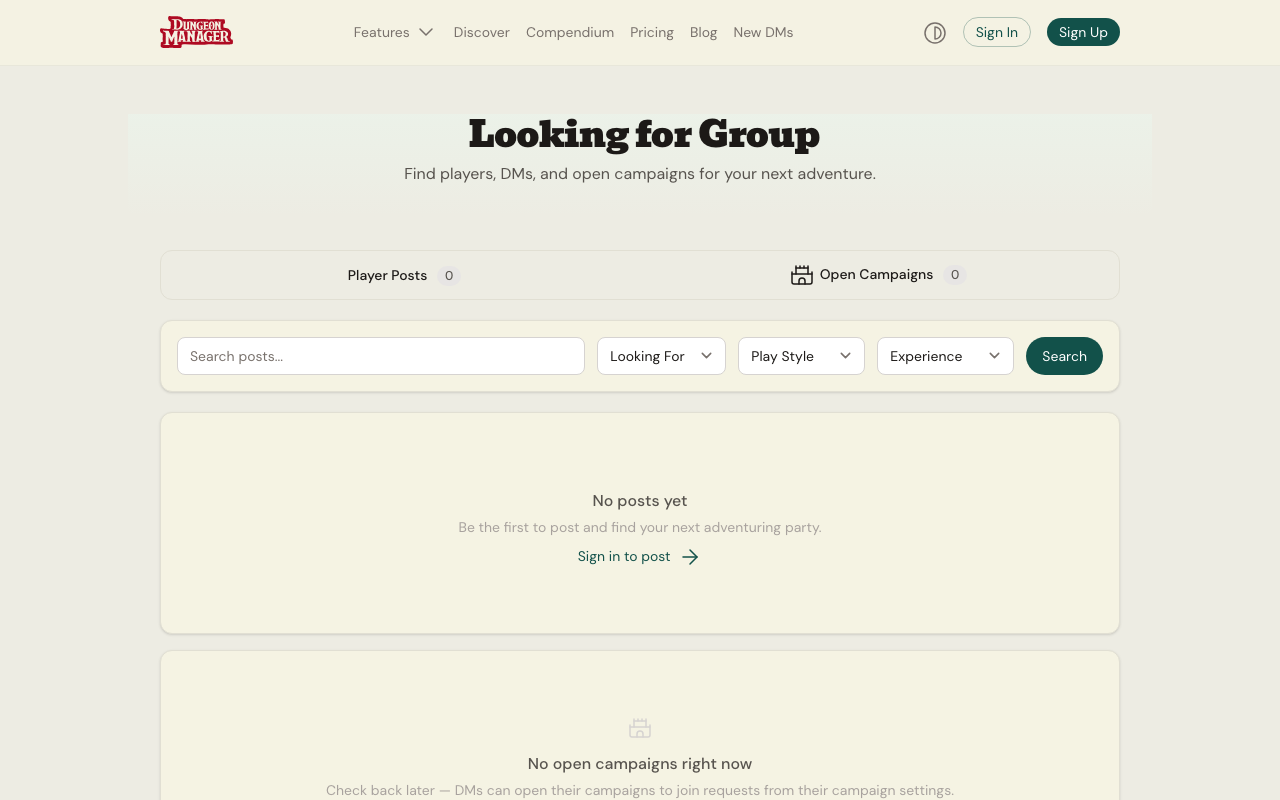 The LFG Board — find players or DMs filtered by play style, experience, and timezone.
Browsing Posts
Visit /lfg to see all active posts. Filter by:
- Looking for — Players (DM seeking players), DM (players seeking a DM), or Group (seeking any members)
- Play Style — Tactical, Roleplay, Exploration, or Mix
- Experience Level — Beginner, Intermediate, Experienced, or Any
Posts expire after 30 days and are automatically hidden.
Advertising Open Seats in Your Campaign (Recommended for DMs)
The fastest way to recruit players for your campaign is directly inside your campaign's Party Management panel:
- Open your campaign and scroll to the Party Invite panel (
CampaignPlayerManager) - Toggle Advertise Open Seats ON — this automatically sets your campaign visibility to Public, enables 1-click player join requests, and creates an active recruitment listing
- Optionally customize your Recruitment Pitch, Play Style, Frequency, Experience Level, and Timezone, then click Save Listing Details
Your campaign will immediately appear on Discover Campaigns with an Open Seats badge and recruitment tags. Toggle Advertise Open Seats OFF at any time once your party is full.
Creating a Standalone LFG Post
- Click Create Post on the LFG page (requires an account)
- Fill in:
- Title — a catchy headline
- Description — what your game is about, when you play, what you're looking for
- Looking For — whether you need players, a DM, or group members
- Play Style, Frequency (weekly, biweekly, monthly, flexible), Experience Level
- Timezone — your timezone so respondents know when "Tuesday evening" means
- Click Post
You can edit or close your post at any time.
Campaign Discovery
Browse public campaigns at /discover. See what other DMs are running, read session recaps, and get inspiration for your own games. Featured campaigns with the most activity appear at the top.
Character Build Gallery
Visit /character-builds to browse character builds shared by the community. Filter by class, sort by popularity, and find build ideas for your next character. See Character Build Gallery for details on sharing your own.
Public Profiles
Every user can make their profile public. Public profiles at /users/{slug} show your campaigns, characters, and community reputation. Toggle profile visibility in your Account Settings.
Was this article helpful?
Thanks for the feedback!